> ## Documentation Index
> Fetch the complete documentation index at: https://papyrus.hownee.com/docs/llms.txt
> Use this file to discover all available pages before exploring further.
# Login to an instance with credentials
> Ensure that a user can log into an instance.
## Objective
Ensure that a user (guest or non-admin) can log into an instance and access the appropriate sections.
## Prerequisites
* You must have a guest or non-admin account for testing.
* You must have access to an ATP instance or a personal instance.
## Steps
1. Use the ATP Instance created for your uses or a personal instance created for testing:
* [https://atptestinginstance-papyrus.papyrus.hownee.com](https://atptestinginstance-papyrus.papyrus.hownee.com)
* [https://your-instance-name.papyrus.hownee.com](https://your-instance-name.papyrus.hownee.com)
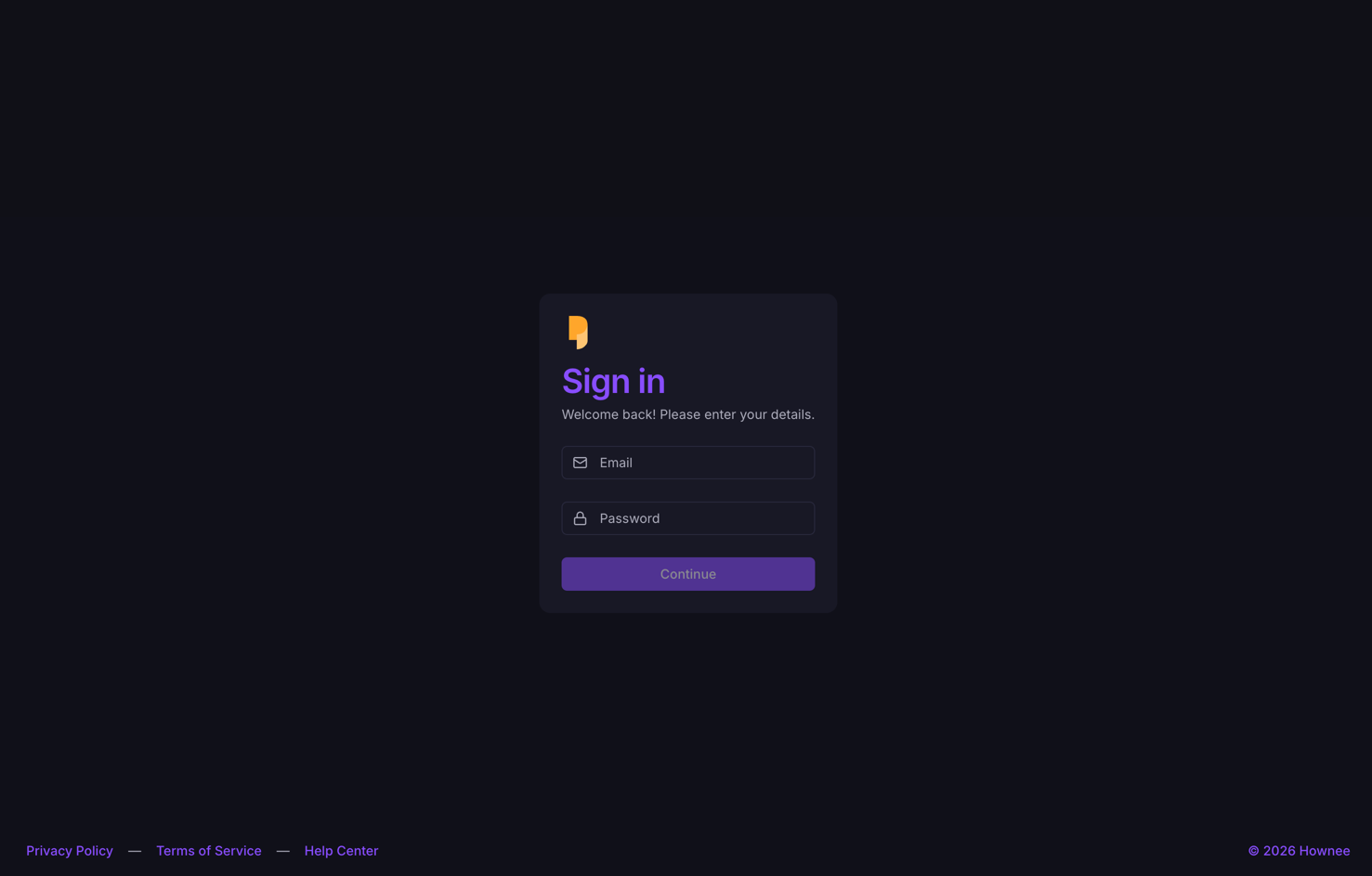 2. If you have never entered the credentials, you will be redirected to the sign-in page:
* [https://atptestinginstance-papyrus.papyrus.hownee.com/auth/sign-in](https://atptestinginstance-papyrus.papyrus.hownee.com/auth/sign-in)
* [https://your-instance-name.papyrus.hownee.com/auth/sign-in](https://your-instance-name.papyrus.hownee.com/auth/sign-in)
3. Enter your credentials. If using the ATP instance, use the **PAPYRUS\_ATP\_INSTANCE\_ACCESS** credentials. Otherwise, use the credentials you created for your instance.
4. Click the **Login** or **Sign In** button.
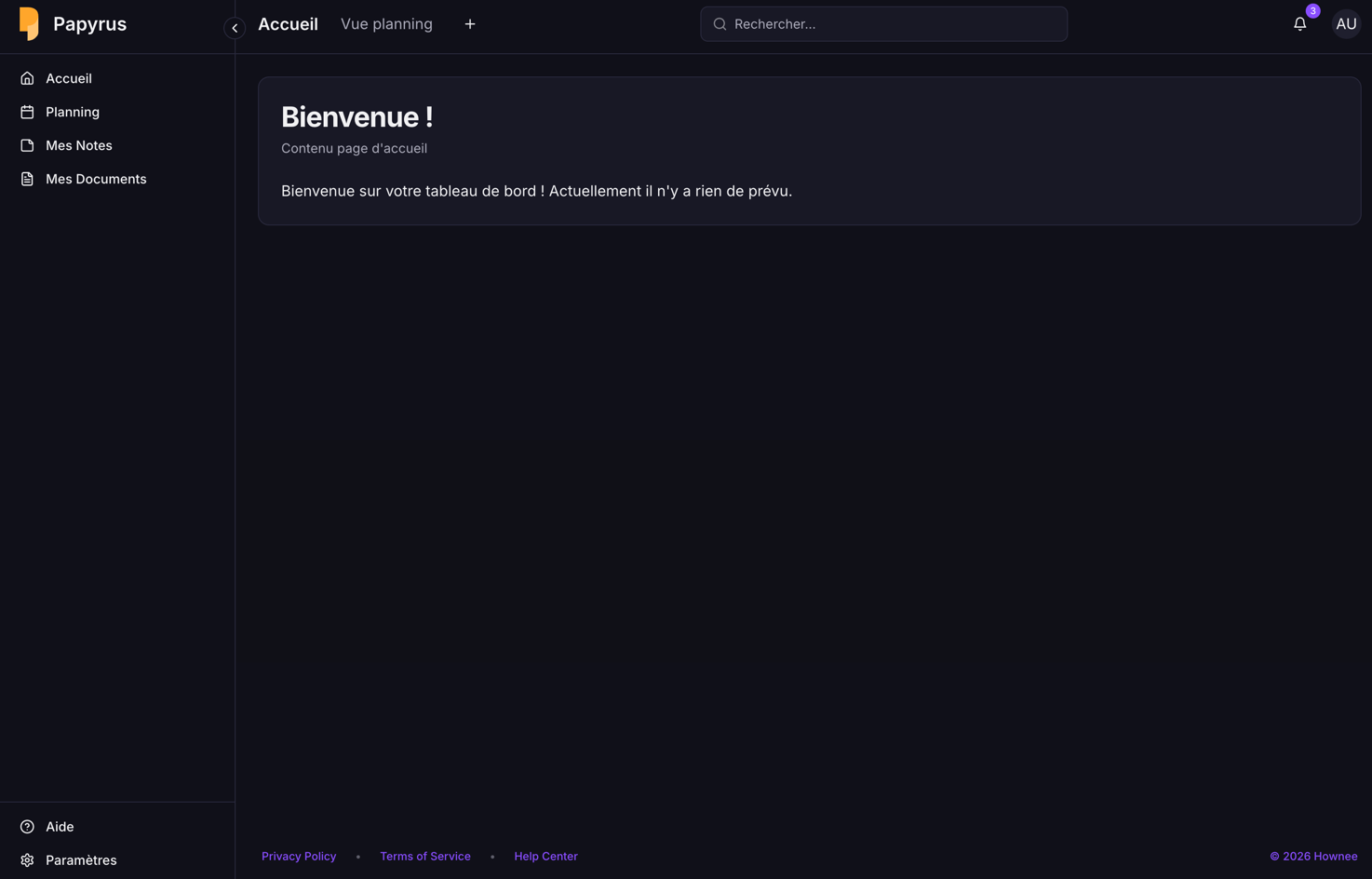
5. Observe the system response. If login is successful, you should be redirected to the main dashboard or homepage of the instance.
2. If you have never entered the credentials, you will be redirected to the sign-in page:
* [https://atptestinginstance-papyrus.papyrus.hownee.com/auth/sign-in](https://atptestinginstance-papyrus.papyrus.hownee.com/auth/sign-in)
* [https://your-instance-name.papyrus.hownee.com/auth/sign-in](https://your-instance-name.papyrus.hownee.com/auth/sign-in)
3. Enter your credentials. If using the ATP instance, use the **PAPYRUS\_ATP\_INSTANCE\_ACCESS** credentials. Otherwise, use the credentials you created for your instance.
4. Click the **Login** or **Sign In** button.
5. Observe the system response. If login is successful, you should be redirected to the main dashboard or homepage of the instance.
 ## Expected Results
* Credentials are valid and the user is connected to their instance or the instance created for their uses.
* The user can access all sections available to their role.
* If login fails, an appropriate error message is displayed (please capture a screenshot if this occurs).
***
**Tip:** If you encounter any issues, please document the error message and steps taken, and attach screenshots or a video for troubleshooting.
## Expected Results
* Credentials are valid and the user is connected to their instance or the instance created for their uses.
* The user can access all sections available to their role.
* If login fails, an appropriate error message is displayed (please capture a screenshot if this occurs).
***
**Tip:** If you encounter any issues, please document the error message and steps taken, and attach screenshots or a video for troubleshooting.