> ## Documentation Index
> Fetch the complete documentation index at: https://papyrus.hownee.com/docs/llms.txt
> Use this file to discover all available pages before exploring further.
# Create an Instance
> Ensure instances can be created dynamically.
## Objective
Ensure an admin user can create a new instance dynamically and verify its availability.
## Prerequisites
* You must have a valid admin account. If you do not have credentials, please request them from your system administrator.
## Steps
1. Log in to the Papyrus app as an admin and navigate to the home section with the instances list: [https://papyrus.hownee.com/app/home](https://papyrus.hownee.com/app/home)
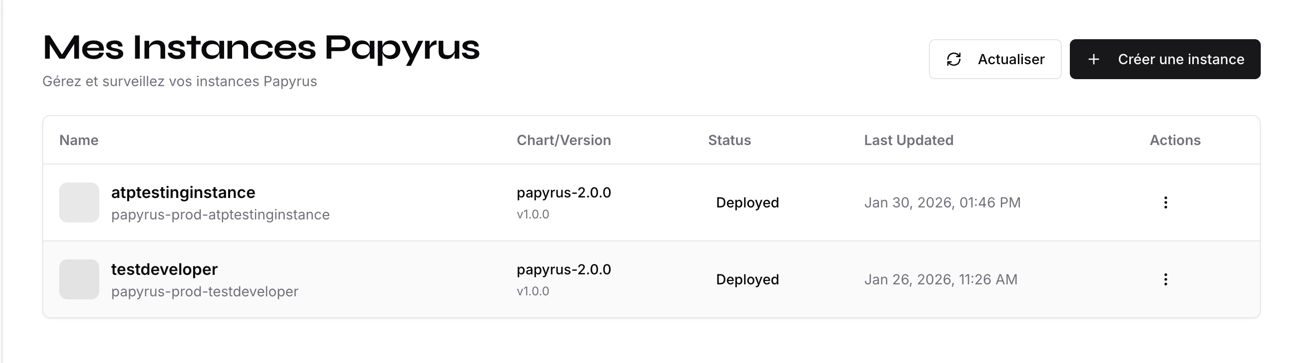 2. Click the **Create Instance** button or similar action to start the creation process.
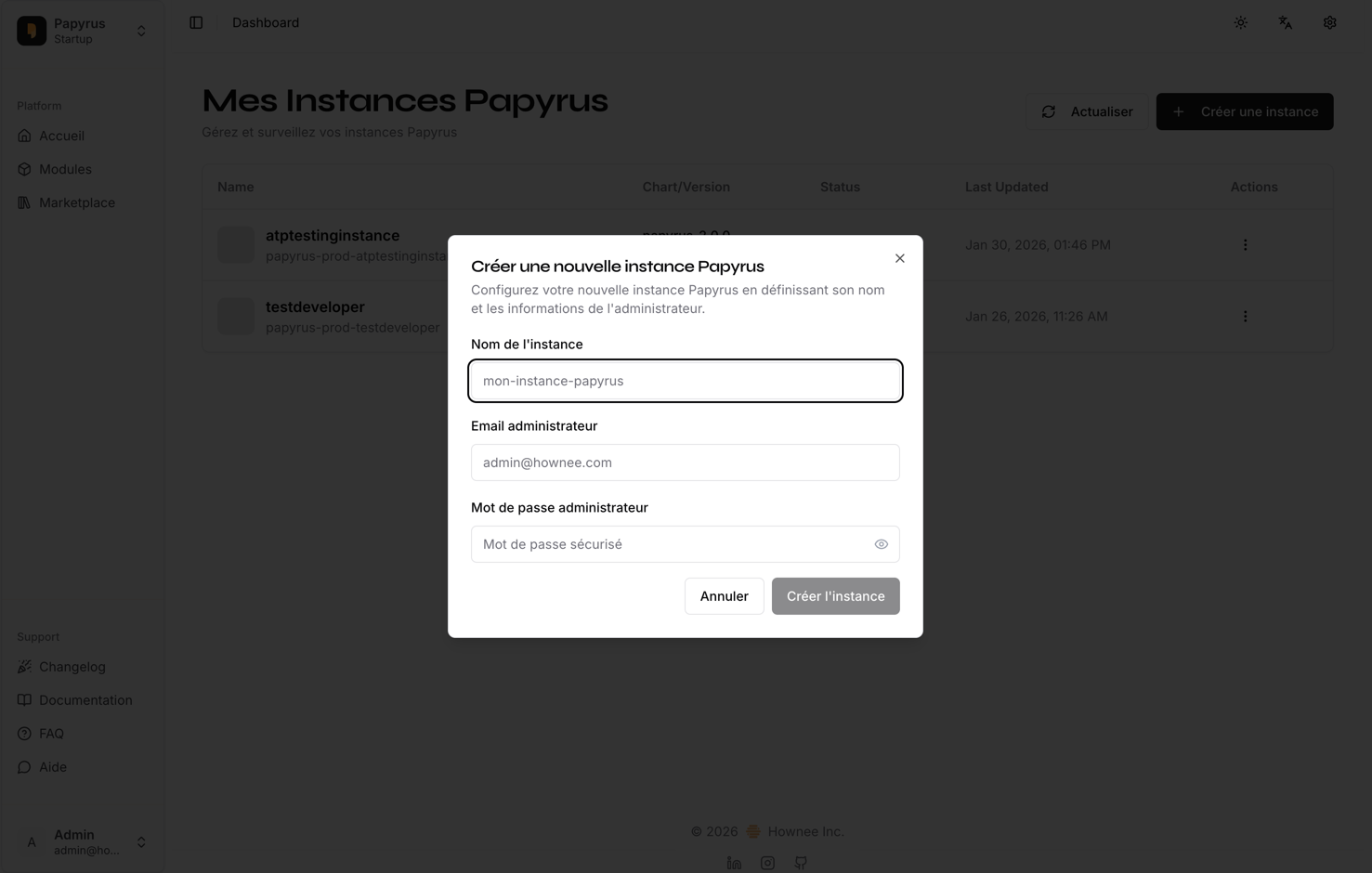 3. Fill in the required details for the new instance (e.g., name, configuration). Please enter the details you used below:
4. Confirm and submit the creation request. Note that this process may take up to 5 minutes.
5. Once the system responds, check that the new instance appears in the list and is accessible.
## Expected Results
* The new instance is generated and appears in the list.
* The instance is accessible and functional.
* If creation fails, an appropriate error message is displayed (please capture a screenshot if this occurs).
***
**Tip:** If you encounter any issues, please document the error message and steps taken, and attach screenshots or a video for troubleshooting.
3. Fill in the required details for the new instance (e.g., name, configuration). Please enter the details you used below:
4. Confirm and submit the creation request. Note that this process may take up to 5 minutes.
5. Once the system responds, check that the new instance appears in the list and is accessible.
## Expected Results
* The new instance is generated and appears in the list.
* The instance is accessible and functional.
* If creation fails, an appropriate error message is displayed (please capture a screenshot if this occurs).
***
**Tip:** If you encounter any issues, please document the error message and steps taken, and attach screenshots or a video for troubleshooting.