> ## Documentation Index
> Fetch the complete documentation index at: https://papyrus.hownee.com/docs/llms.txt
> Use this file to discover all available pages before exploring further.
# Add Modules of an Instance
> Ensure modules can be added or removed from a configured instance.
## Objective
Ensure an admin user can add modules to a configured instance and verify that users can access the new modules.
## Prerequisites
* You must have a valid admin account. If you do not have credentials, please request them from your system administrator.
* At least one instance must already exist.
## Steps
1. Log in to the Papyrus Vitrine Website App as an admin and go to the modules page: [https://papyrus.hownee.com/app/modules](https://papyrus.hownee.com/app/modules)
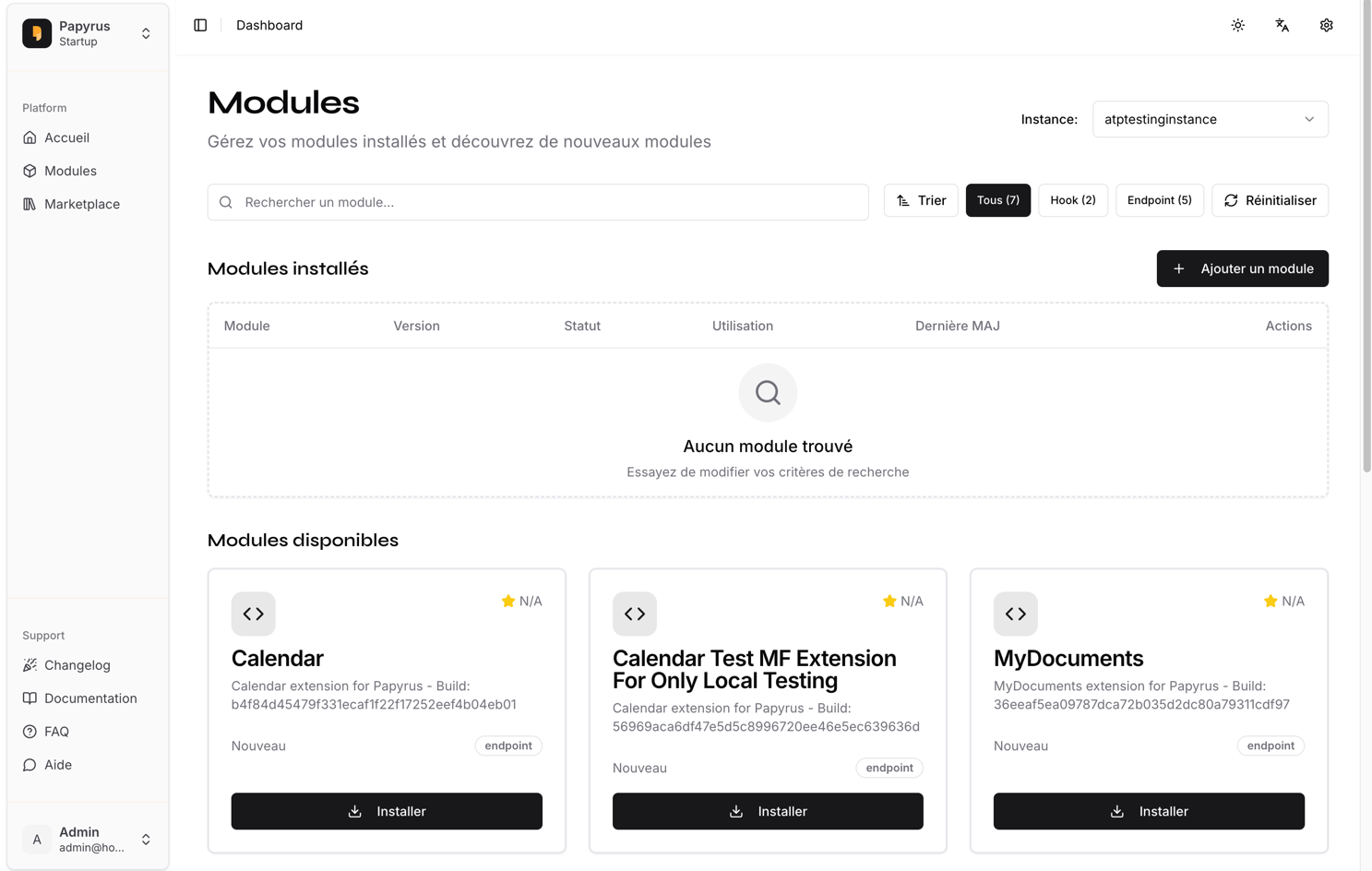 2. Click the **Add Module** button or similar action. Select the modules you wish to add. Please specify the modules below:
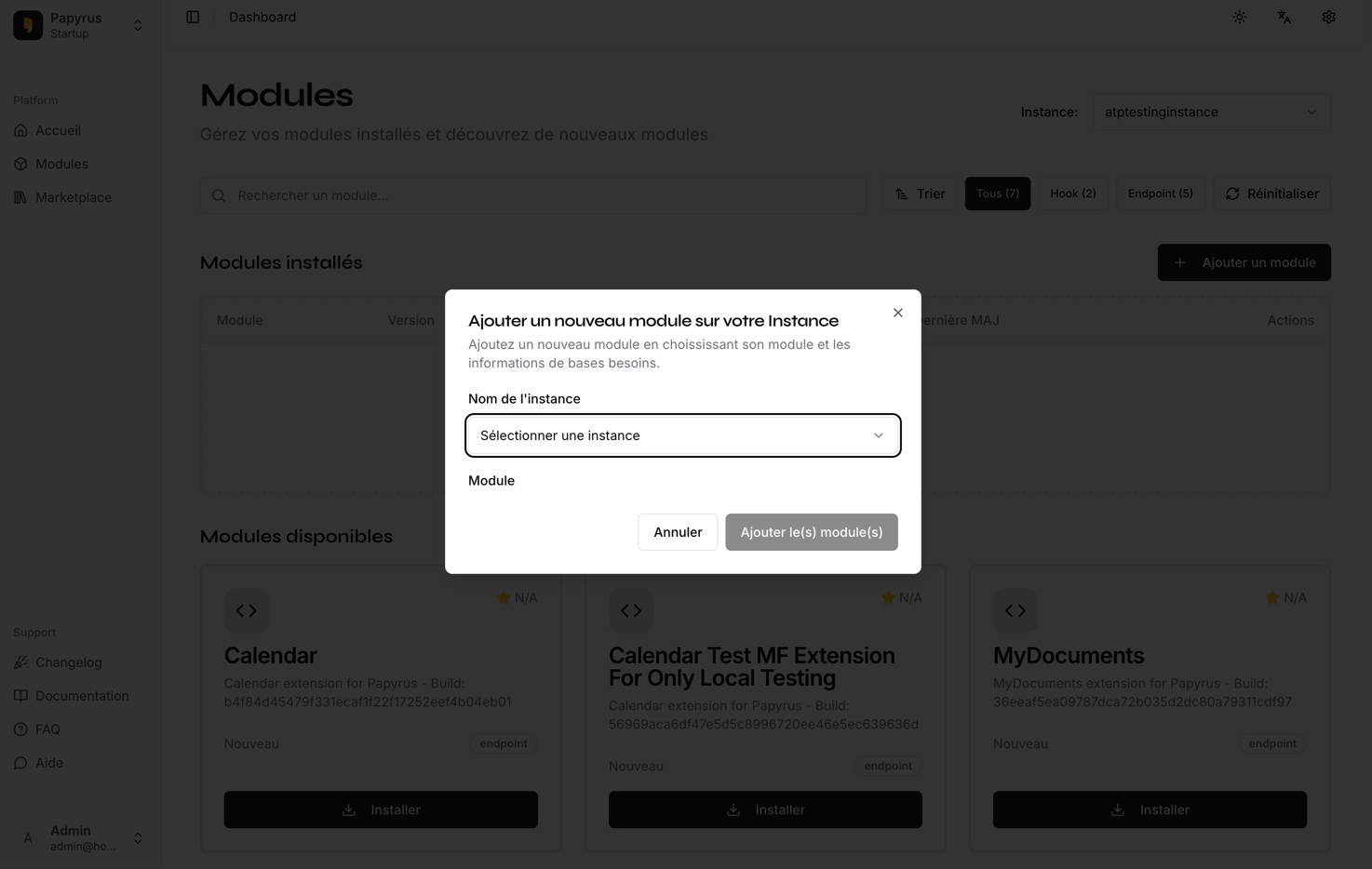 3. Confirm and submit the addition. Wait for the system to process the changes.
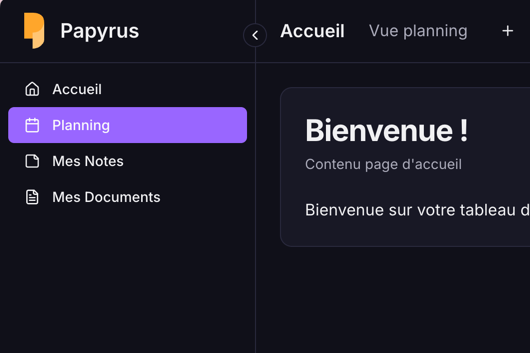
4. Log in as a standard user and verify that the new modules are accessible in the instance app.
3. Confirm and submit the addition. Wait for the system to process the changes.
4. Log in as a standard user and verify that the new modules are accessible in the instance app.
 ## Expected Results
* The selected modules are added to the instance.
* Standard users can access and use the new modules.
* If the addition fails, an appropriate error message is displayed (please capture a screenshot if this occurs).
***
**Tip:** If you encounter any issues, please document the error message and steps taken, and attach screenshots or a video for troubleshooting.
## Expected Results
* The selected modules are added to the instance.
* Standard users can access and use the new modules.
* If the addition fails, an appropriate error message is displayed (please capture a screenshot if this occurs).
***
**Tip:** If you encounter any issues, please document the error message and steps taken, and attach screenshots or a video for troubleshooting.